See Mawgood Core Workflows — Step by Step
Watch how biometric devices sync, mobile GPS attendance works, requests are reviewed, and custom payroll rules calculate salaries down to the piastre.
4 Real Ways to Clock In — Tailored for Every Branch & Team
Connect your physical biometric machines, use GPS Mobile PWA, scan dynamic QR kiosk codes, or punch via Telegram. All synchronized live in real-time on one unified screen.
ZKTeco Biometric Cloud Sync
Lightweight smart desktop sync app runs on any standard office PC. Pulls new punches only, filters duplicate punches automatically, and requires zero static IP or 24/7 uptime.
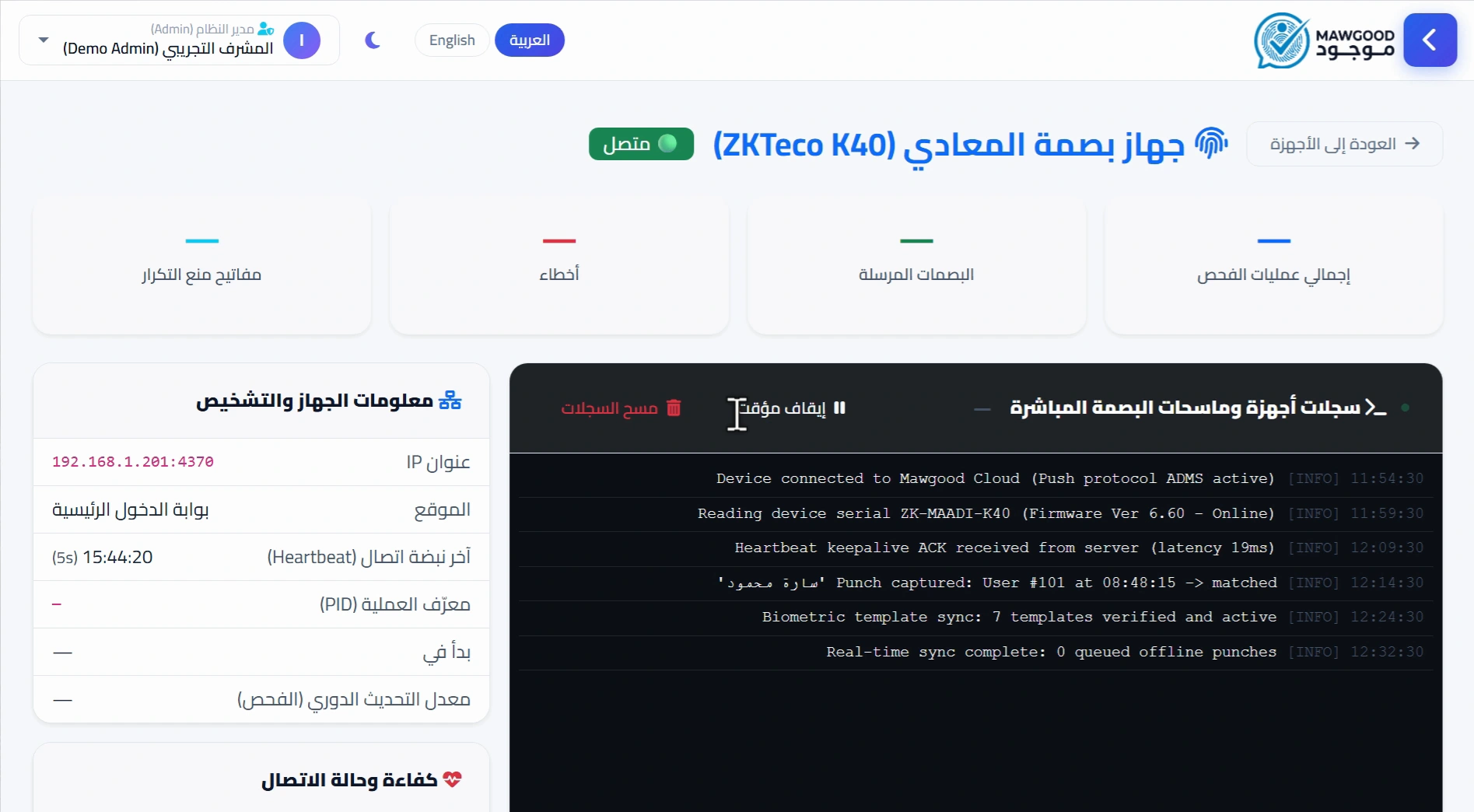
- Supports K40, MB20, IN01, F18 & major models
- Auto-deduplication & check-in/out error correction
- Runs on any normal PC — no 24/7 or static IP needed
Mobile App (GPS & Selfie)
Fast PWA web app with branch GPS geofencing and live selfie anti-fraud checks. Works even when mobile internet is offline!
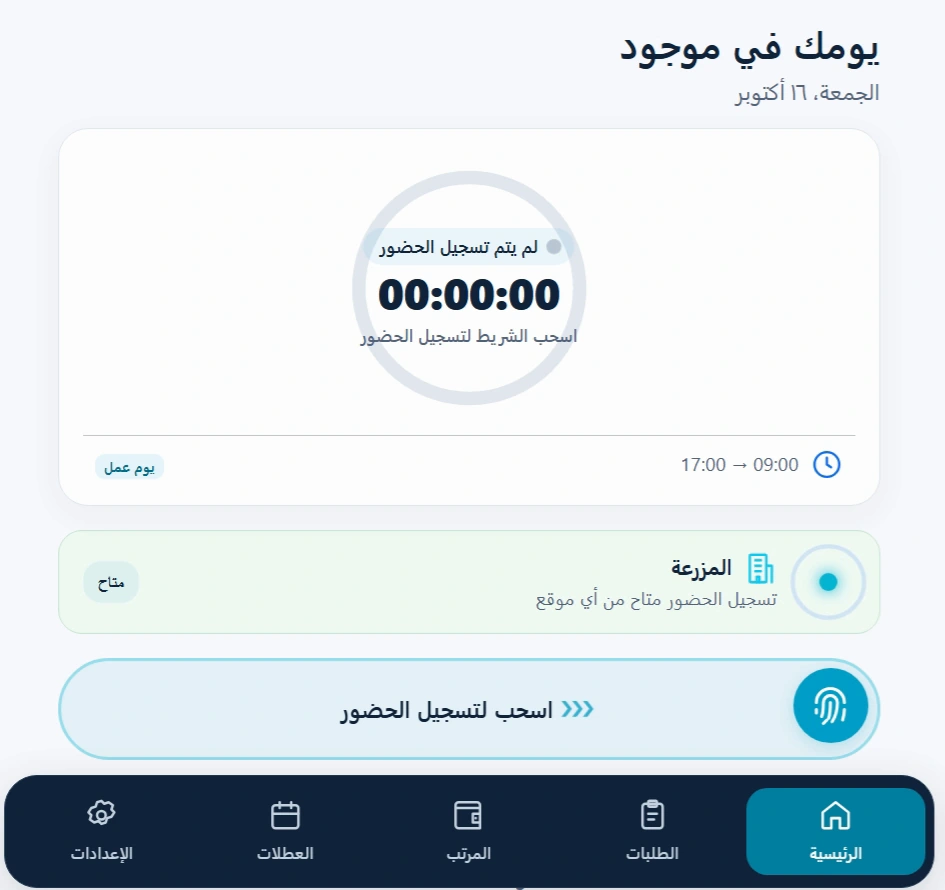
- Offline Punch works with zero internet
- Strict branch geofence GPS radar
Dynamic QR Code & Kiosk
Turn any branch tablet or screen into an instant attendance kiosk with rotating QR codes that prevent screenshot fraud, or scan employee badges.
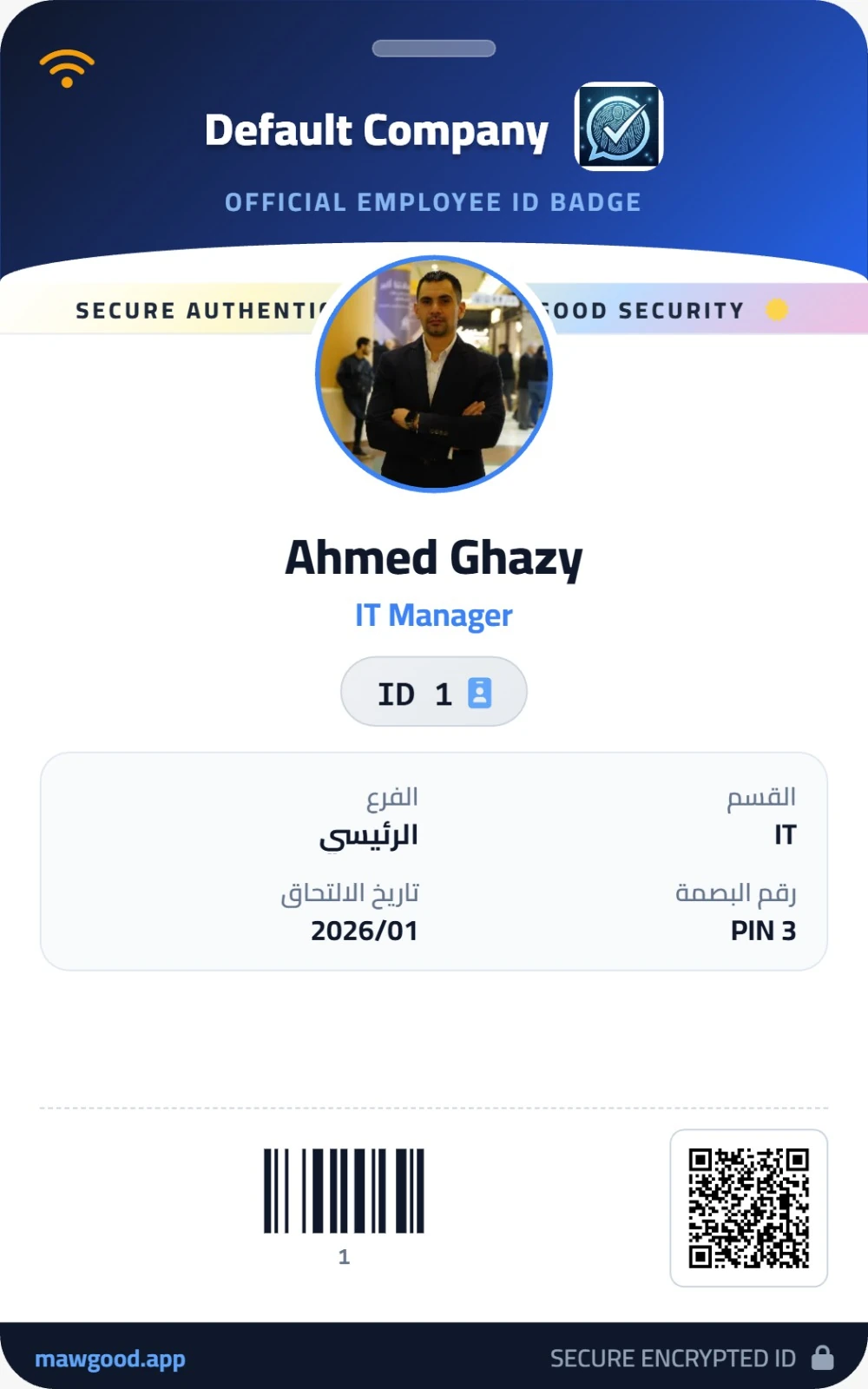
- Anti-screenshot rotating dynamic QR security
- 0 EGP hardware cost for small shops & clinics
Telegram Attendance Bot
Employees tap Check-In on Telegram. Captures live selfie and GPS location with instant photo notifications sent to the branch manager.
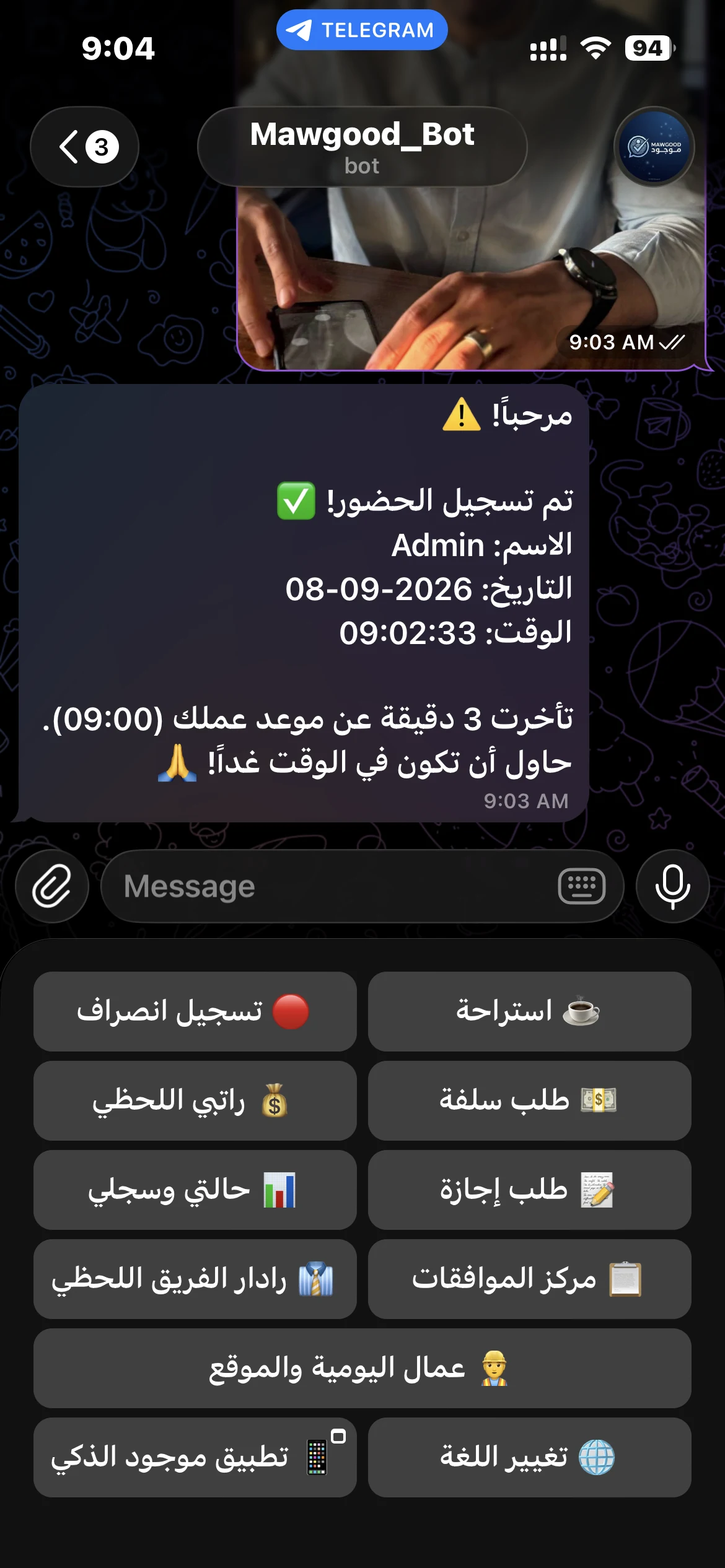
- Instant real-time photo alert on manager phone
- Zero storage space on employee phone
Automated Payroll & Policy Engine — No Excel Headache
Say goodbye to manual payroll errors and formula corruptions. Mawgood calculates your monthly payroll sheets and itemized payslips automatically according to your custom company rules, ready for review and bank export.
Graduated Tardiness Tiers
Grace periods, 1/4, 1/2, 1-day repeat penalties
Smart Overtime Rules
Tiered multipliers, weekend work & night shifts
Advances & Loan Schedules
Auto-deducted from employee payslip monthly
Detailed Payslips in 1-Click
Printable PDF & direct employee mobile view
Clear Digital Payslip
Includes basic, allowances, tardiness, insurance & taxes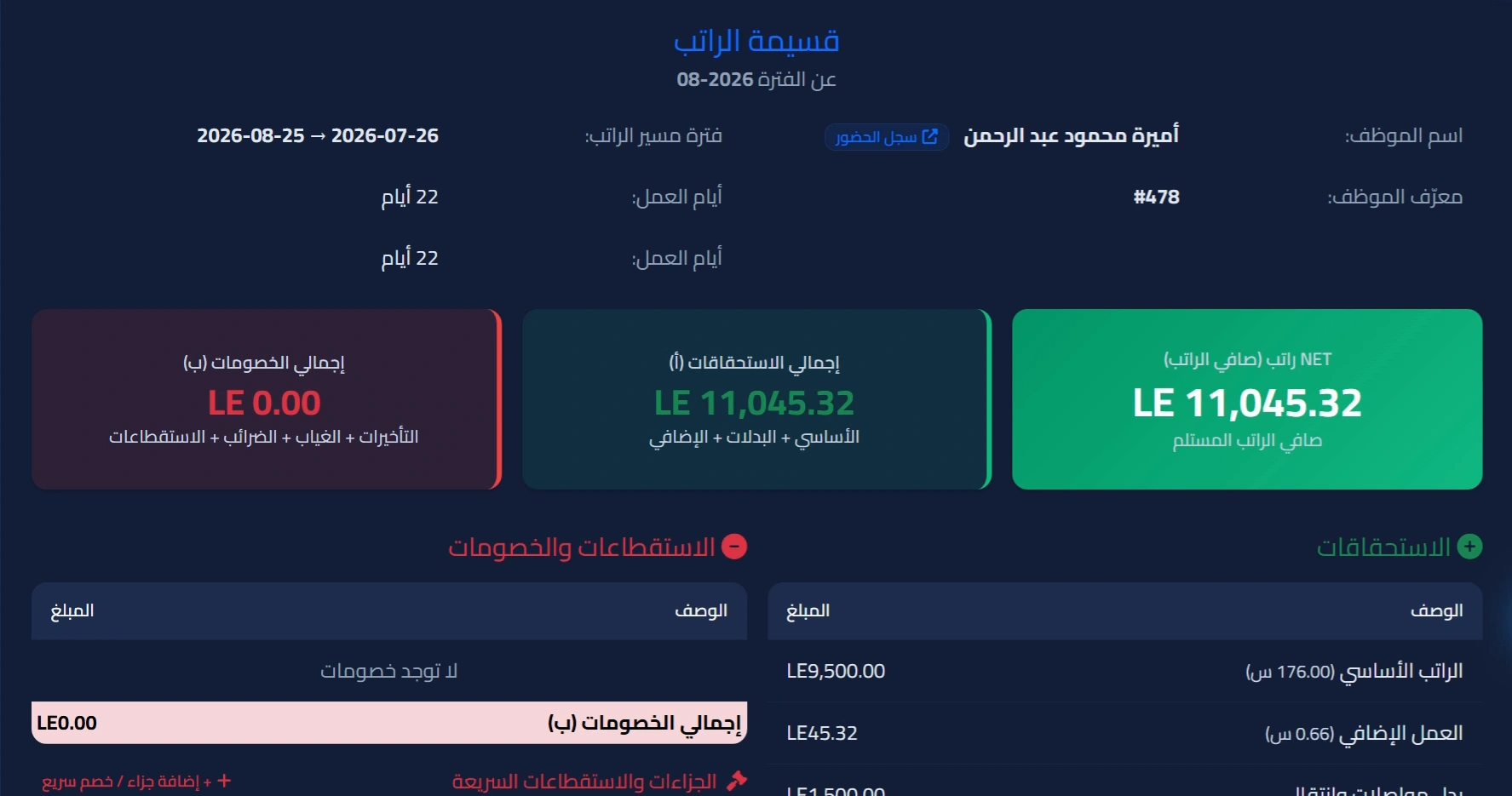
Estimate How Much Mawgood Saves Your Business Monthly
Adjust your team size and estimated monthly tardiness/payroll error leakage per employee to see an illustrative monthly estimate.
How Setup Works — 3 Simple Steps to Go Live
No complex IT infrastructure, no static IP, and no server hardware needed.
Add Branches, Shifts & Staff
Import your employee list via 1-click Excel sheet, set branch GPS zones, and configure your company tardiness & overtime rules.
Connect Devices or Mobile App
Link your existing ZKTeco device remotely via AnyDesk (no Static IP needed), or send employees their login to punch via GPS & live selfie.
Track Live & Run 1-Click Payroll
Monitor daily attendance across all branches in real time, approve leaves/advances, and export bank-ready payroll sheets at month-end.
Scalable Plans Designed for Business Growth
Includes unlimited attendance logs, comprehensive multi-branch tracking, and automated payroll calculations tailored to your company rules.
View all included features (7+)
View all included features (6+)
View all included features (5+)
Included features & custom add-ons
Need a few more employees or an extra biometric device without jumping to the next pricing tier? Scale smoothly with our flexible add-ons and keep your costs low:
Explore Mawgood Hands-On
Test the Company Dashboard and Employee Mobile App with realistic company data before subscribing:
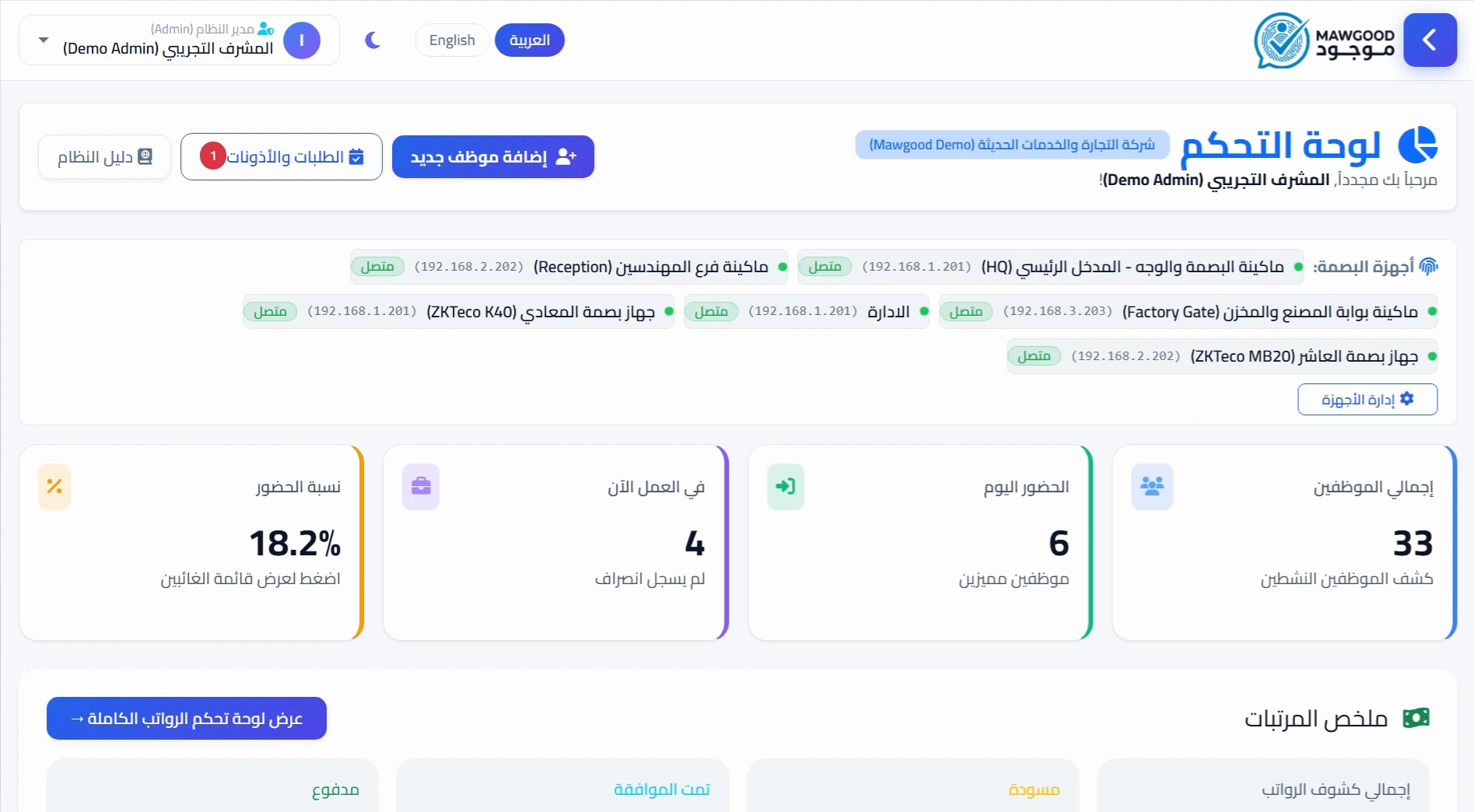
Company Dashboard (Trial Account)
Monitor multi-branch attendance, approve leaves, and export bank payroll sheets.
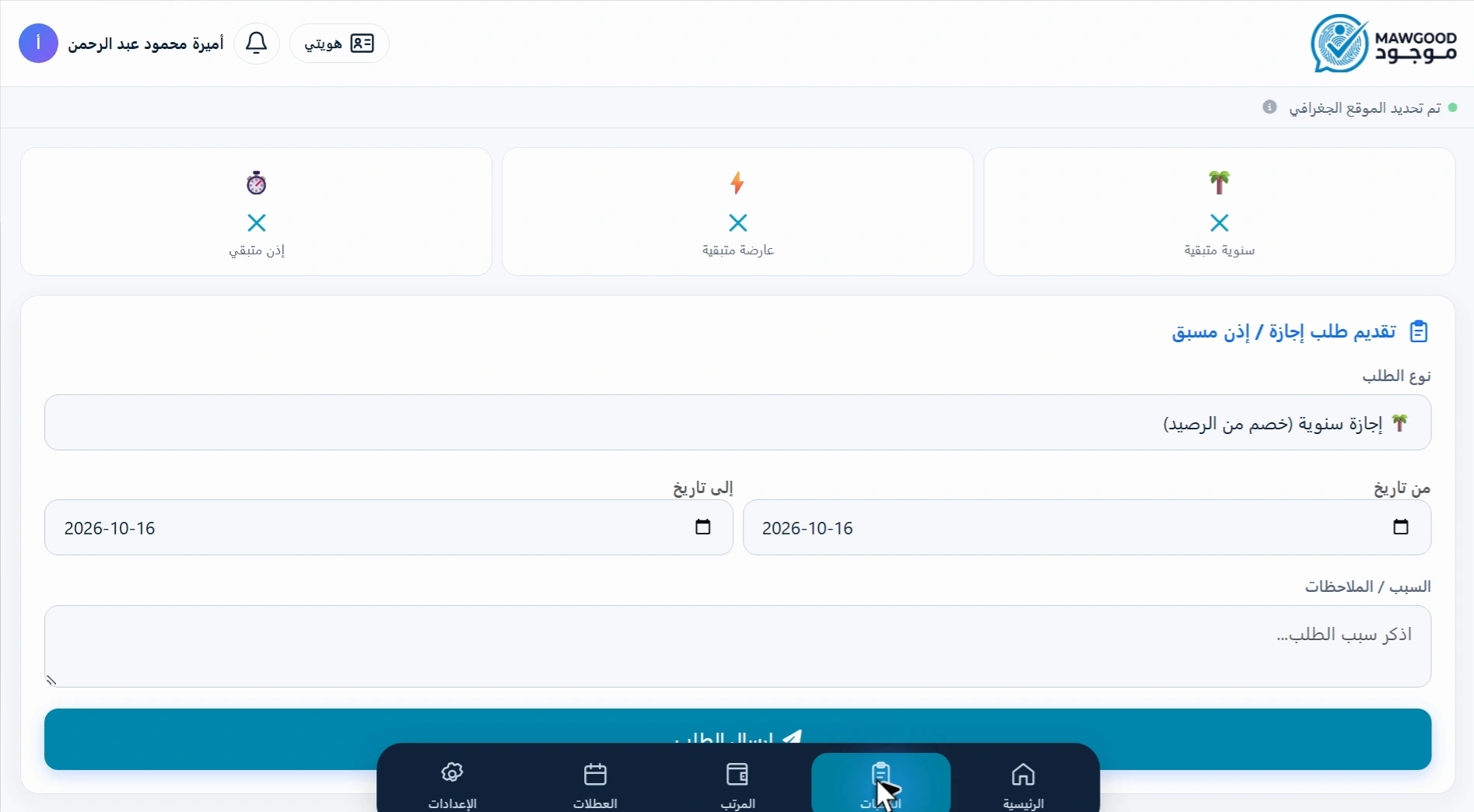
Employee Mobile App (Trial Account)
GPS check-in with live selfie verification, leave/loan requests, and monthly digital payslips.
Frequently Asked Questions — Devices, Payroll & Setup
Clear answers to the most common questions regarding setup, devices, payroll rules, and pricing.
Is Mawgood suitable for a small company or a single branch?
Do I need to buy a physical fingerprint device to use Mawgood?
Will my existing biometric terminal work with Mawgood?
Does the computer need to stay running all day to sync attendance?
Can I import existing employee data from an Excel spreadsheet?
Do I have to enable every tardiness, overtime, and deduction rule?
Can I review and adjust payroll calculations before final disbursement?
Can I explore the system before requesting demo credentials?
Ready to Organize Your Company Attendance & Payroll?
Request pre-loaded demo credentials on WhatsApp to test the admin dashboard and mobile app with real sample data.